
New Employer
Link to https://zt.ab.md/ui/console
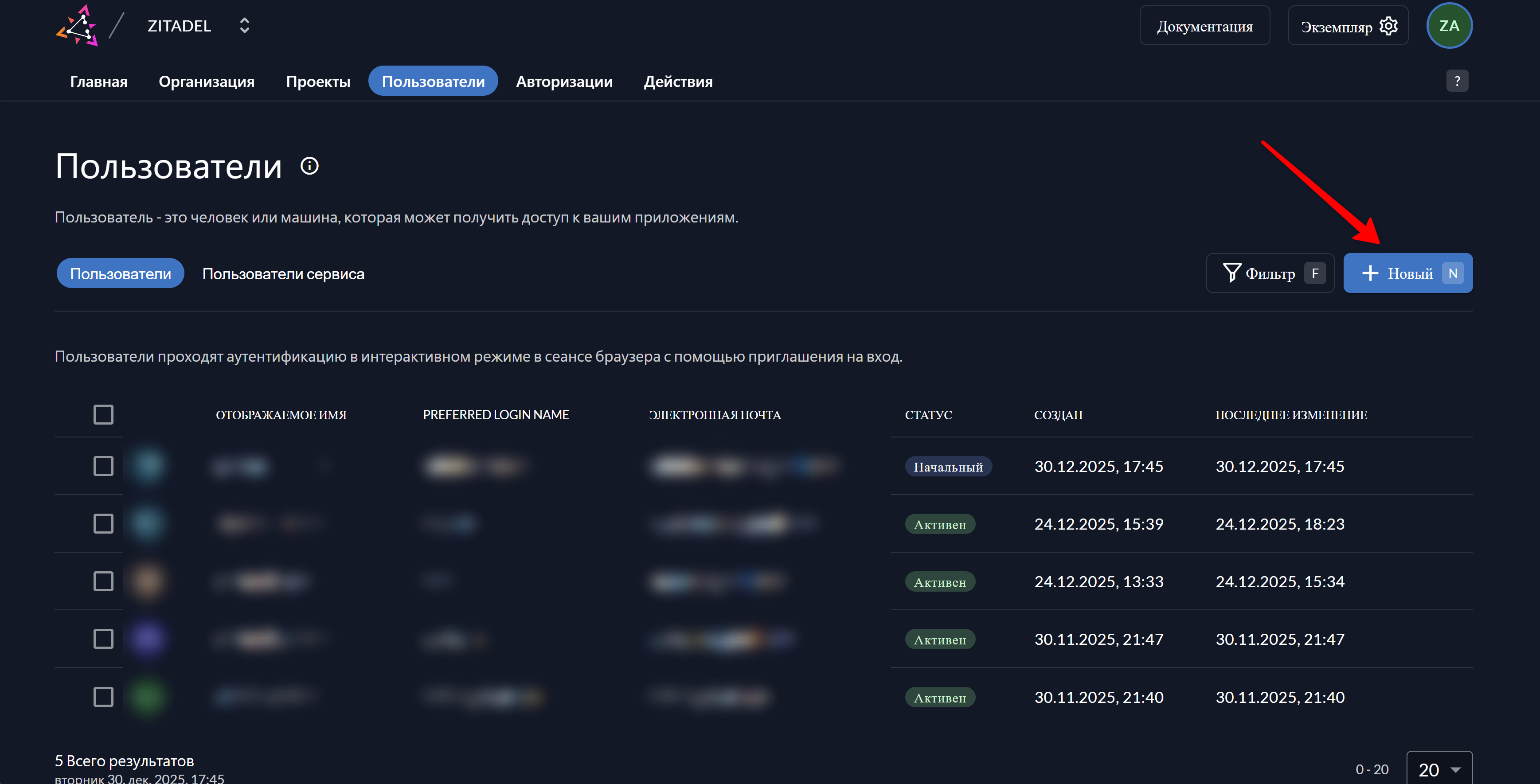
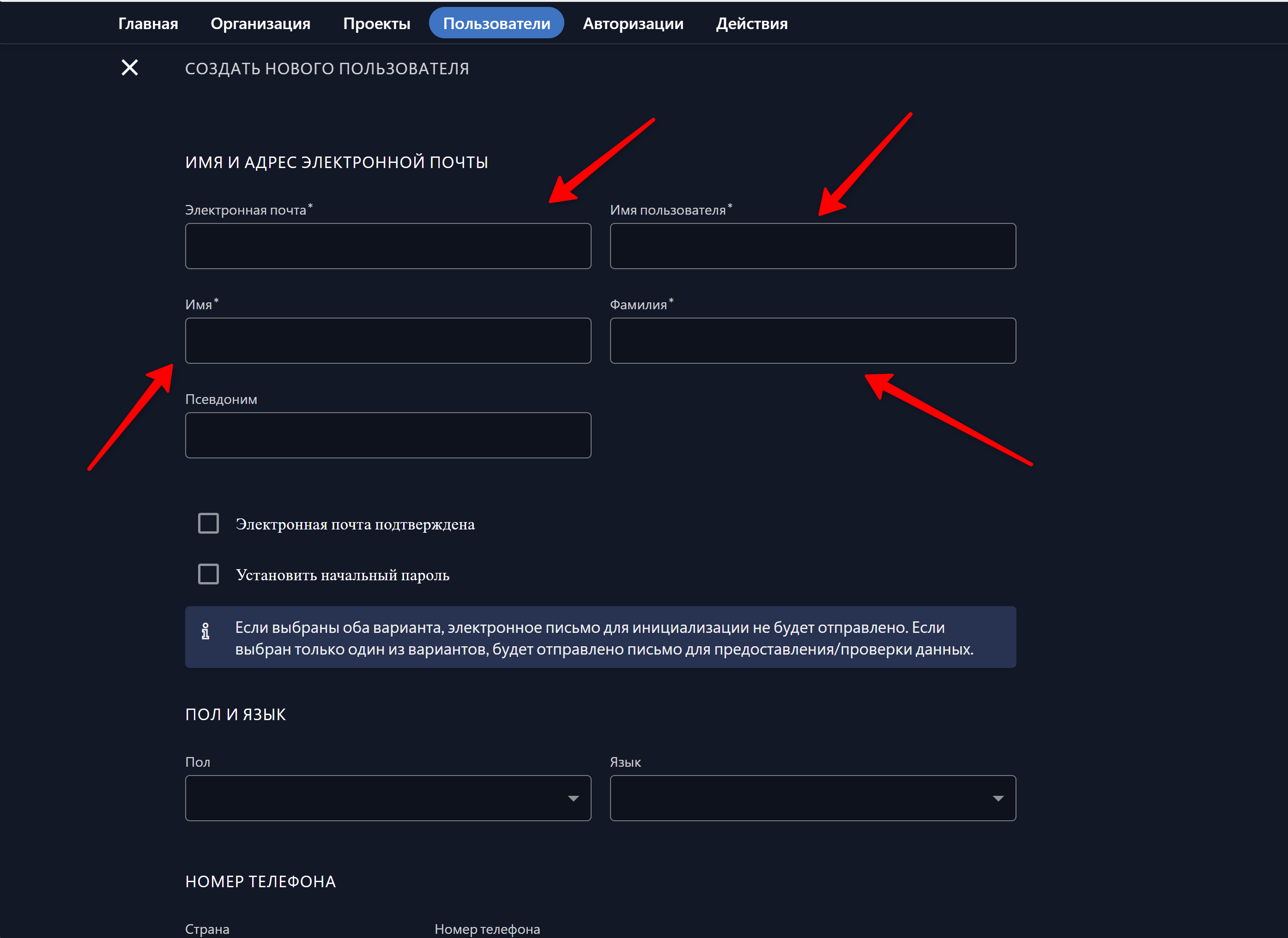
After a new user is created, they are placed in an inactive status until they confirm their email and complete the registration by setting their own password.
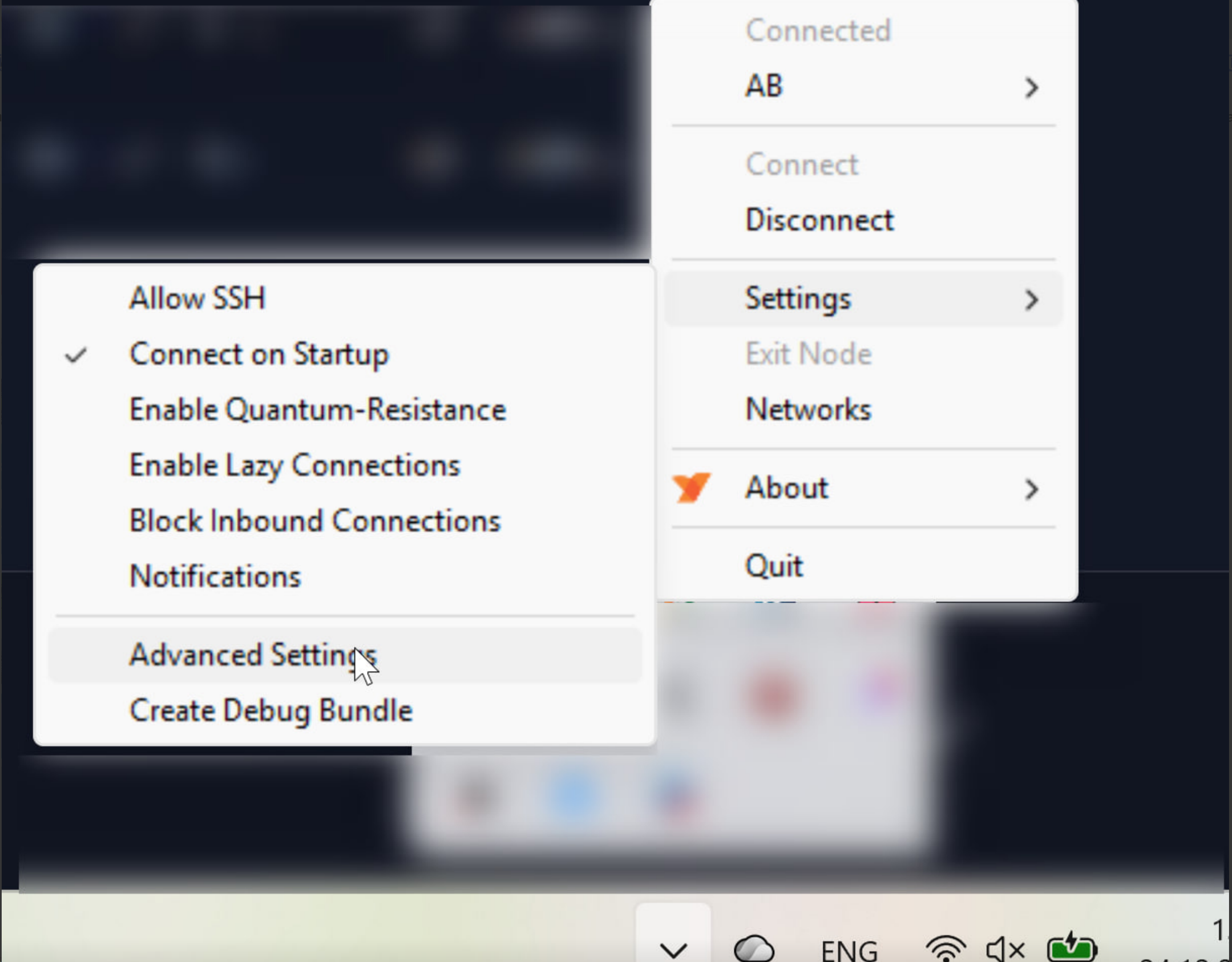
The client must download the NetBird application and change the connection server in the system tray.
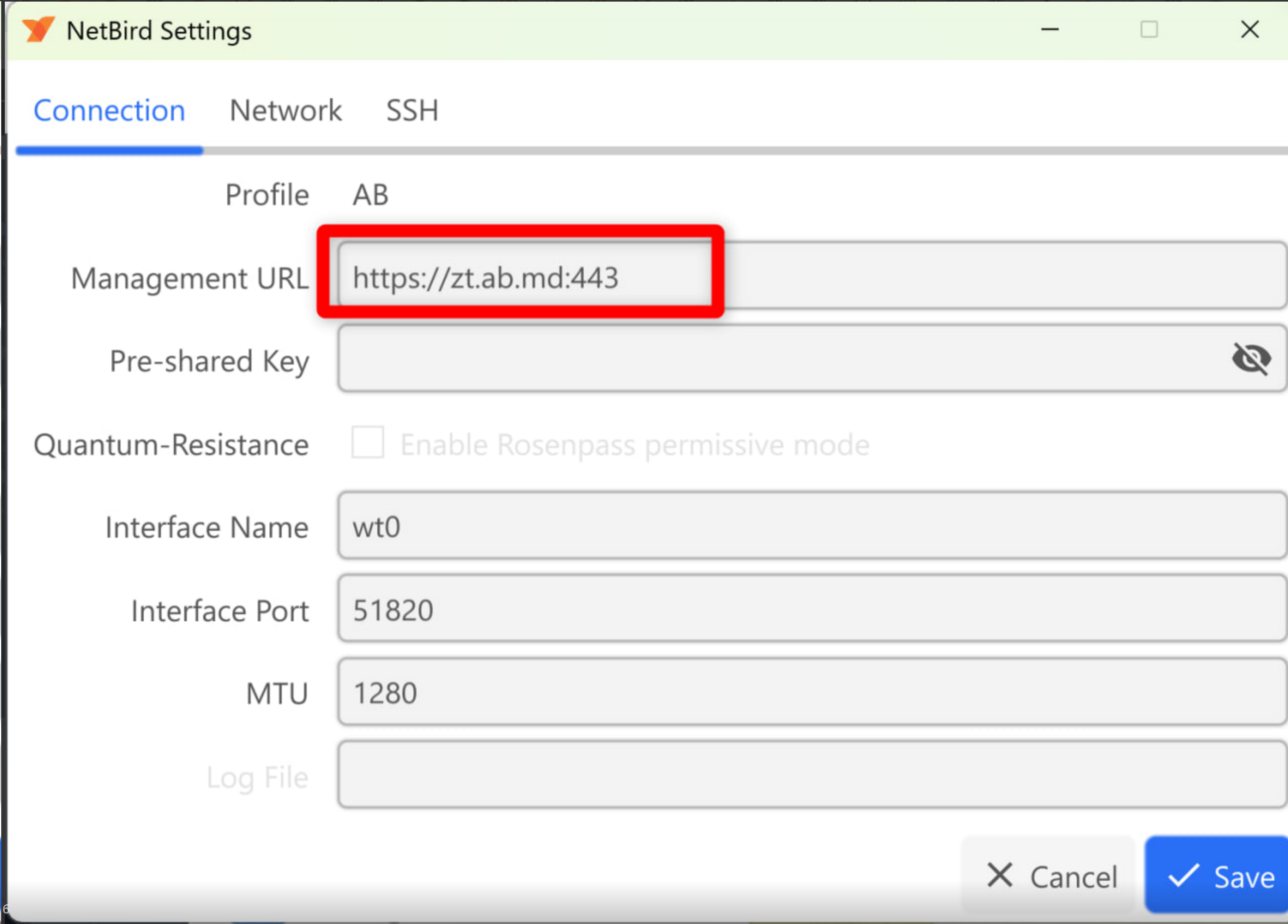
After that, click “Connect”. The device will appear in the menu at https://zt.ab.md/, where it must be approved.
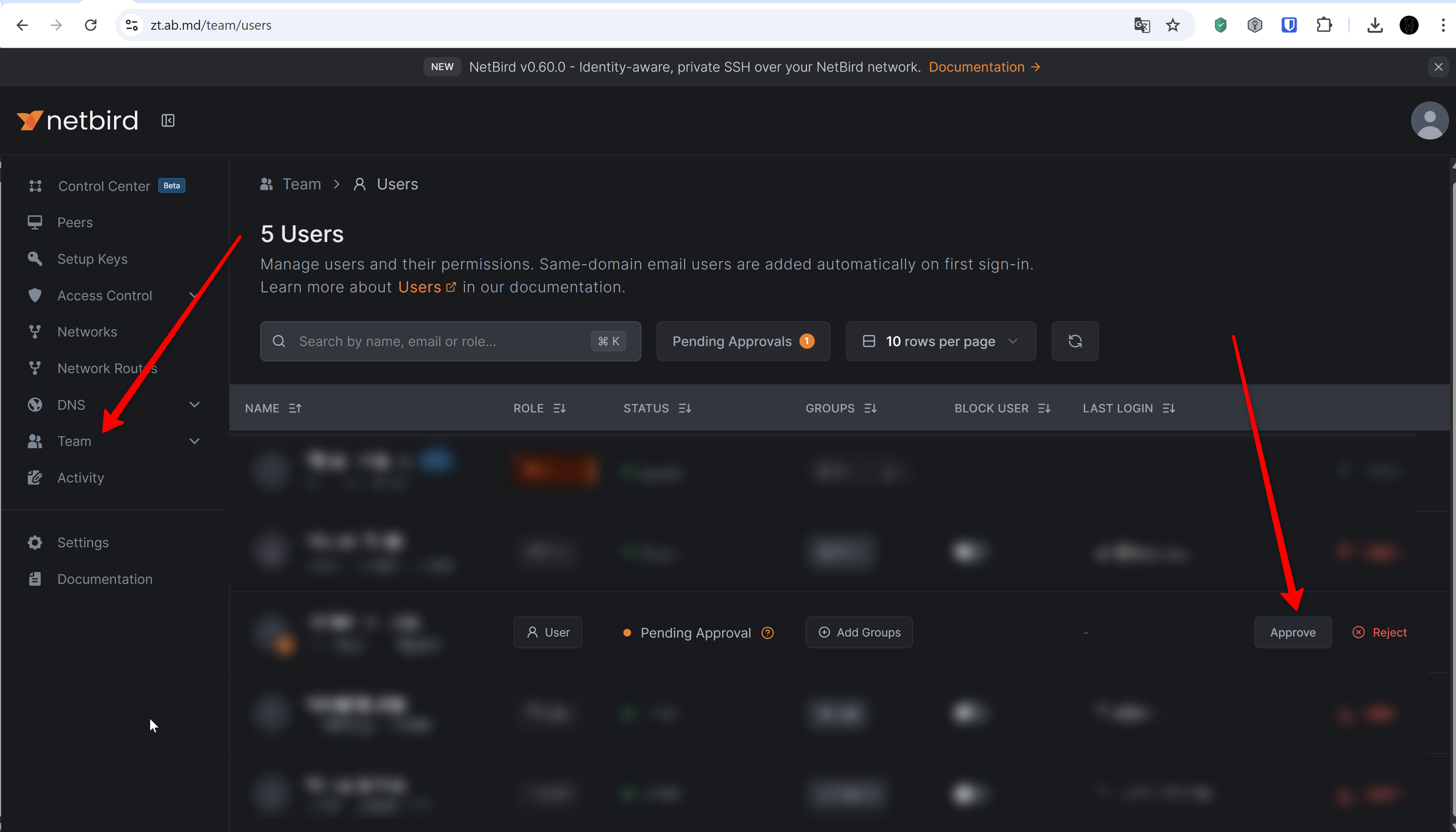
After that, the user must log out and log in again.